


The JCMT relies on its in-cabin line-of-sight 183 GHz radiometer, the WVM (Water Vapour Monitor) to measure the PWV (Precipitable Water Vapour) and report the sky opacity at (the historically used) 225 GHz. The WVM is critical for both SCUBA-2 observations (see the note about extinction correction) and also for use by Nāmakanui, as well as determining the current weather conditions for programs to observe under, according to the JCMT’s Flexible Observing Guidelines.
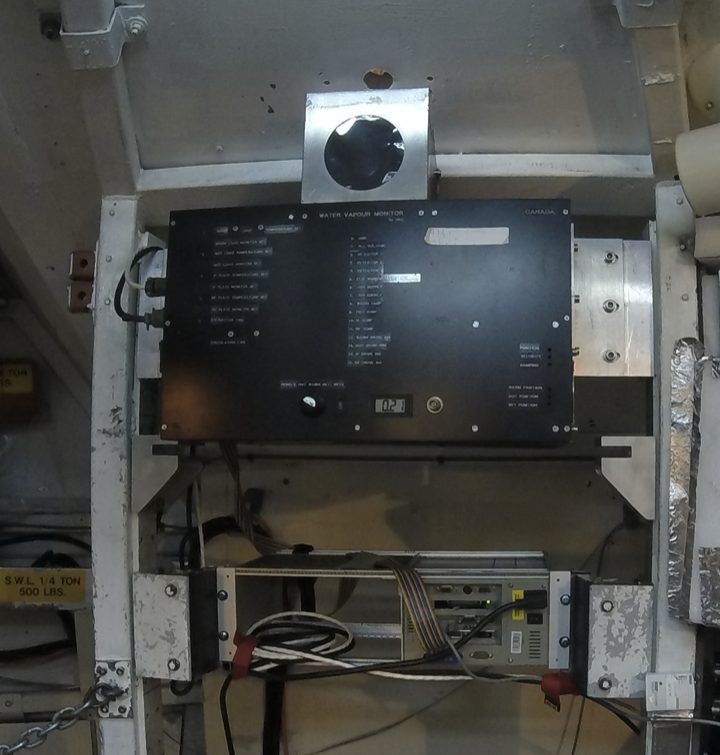
The WVM works by obtaining measurements of the 183 GHz water line in a number of channels.
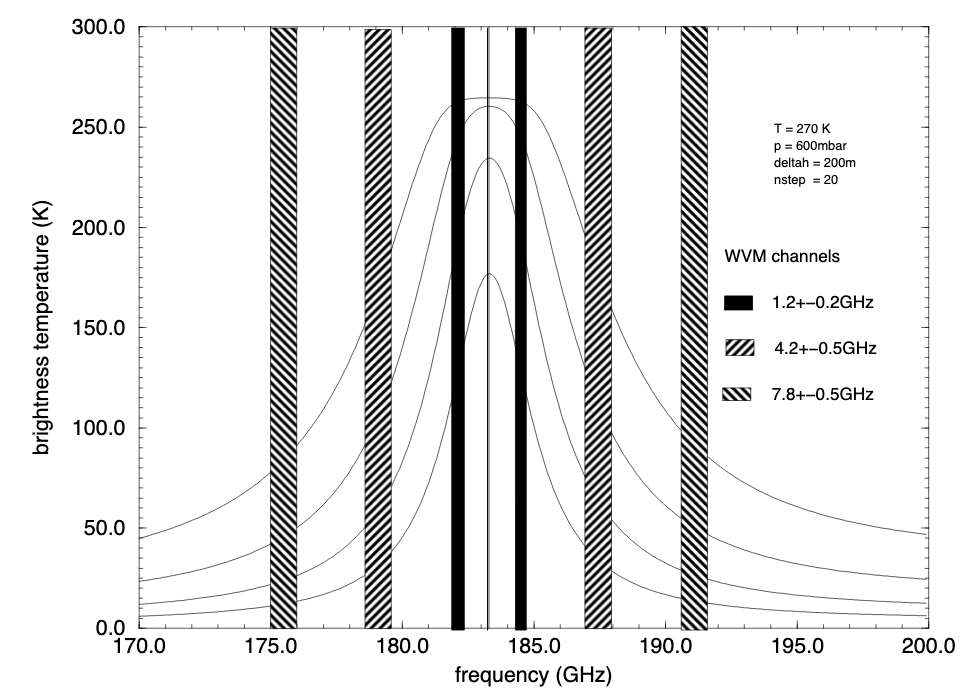
The three double side band frequency channels of the water vapour monitor super imposed on the spectrum of the water line for 0.5, 1 and 1.5 mm of PWV (image taken from Atmospheric Water Vapour and Astronomical Millimetre Interferometry by Martina Corinna Wiedner)
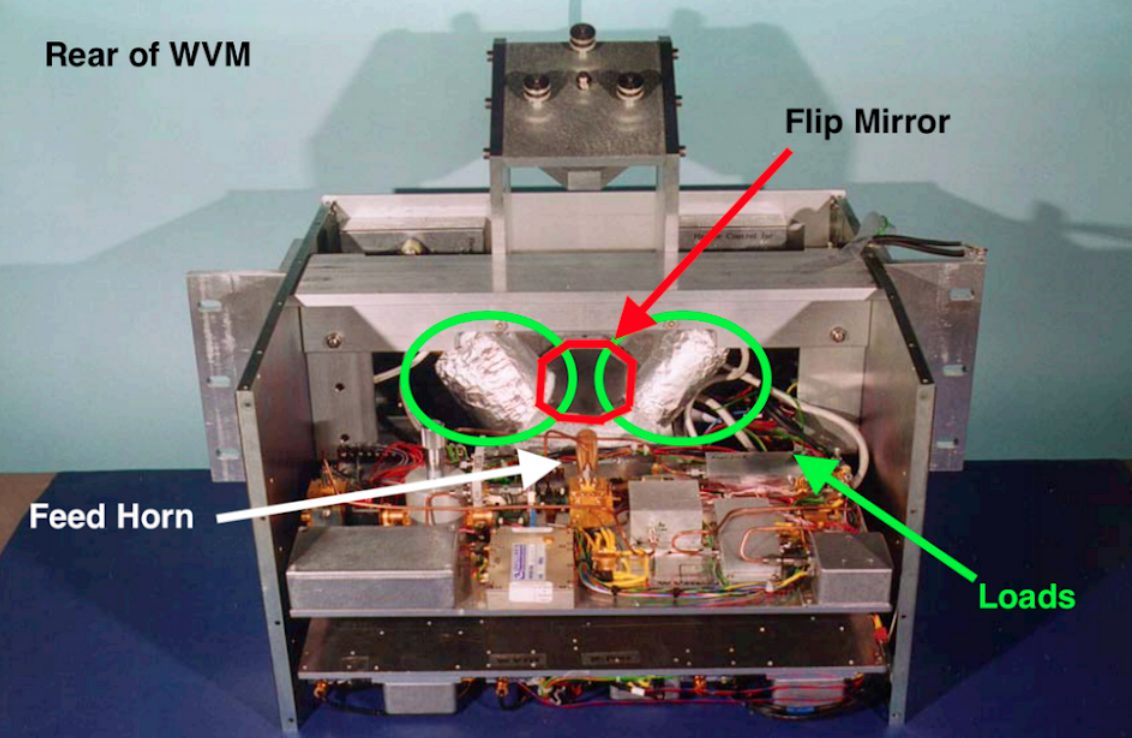
The WVM box with the two electronics plates. The upper plate is the RF plate. The horn and mixer are in the centre of the RF plate the horn is pointing away from the photographer to the flip mirror. The lower plate contains the IF electronics. The warm and cold loads are circled. (image taken from Atmospheric Water Vapour and Astronomical Millimetre Interferometry by Martina Corinna Wiedner).
Obtaining JCMT WVM data
Local archive interface
For archival values of the WVM you can visit: WVM Archive Interface.
Archived data files at CADC
To obtain WVM data files visit the CADC Advanced Search page and search the “JCMT” collection using the selected instrument “WVM”.
Alternatively you can attempt to construct the file name for WVM data for a given night and download it directly from the CADC data web service. WVM file names contain the date in YYYYMMDD format, so for example, data from the 1st of April, 2021 should be in a file named 20210401.wvm, and could be retrieved as follows:
wget https://ws.cadc-ccda.hia-iha.nrc-cnrc.gc.ca/data/pub/JCMT/20210401.wvm
Correcting WVM issues in SCUBA-2 data
Missing WVM data
If WVM data are missing from raw files, but the full data from the WVM are available on disk at CADC, the Wesley recipe can be used to copy the WVM data into the raw files. The pre-processed files can then be reduced as normal. First download the WVM files for the relevant dates as described above, then run up Starlink’s ORAC-DR
oracdr_scuba2_850
then run:
wesley --files files.list INSERT_JCMT_WVM_DATA -verbose -log sf -nodisplay
 -recpars="JCMT_WVM_FILE=20200217.wvm"
ensuring 20200217.wvm is in cwd/ORAC_DATA_OUT and where files.list are the raw files you wish to reduce.
For more information about this Wesley recipe, please see its entry in SUN/271.
These are the information written into the WVM .wvm files:
1) isoTime Time and date string
2) airMass Air Mass
3) tAmb Ambient temperature (kelvin)
4) tSky[0] Sky temperature 0 (kelvin)
5) tSky[1] Sky temperature 1 (kelvin)
6) tSky[2] Sky temperature 2 (kelvin)
7) tWat The effective temperature
8) tOff The line of site opacity
9) mmH2O_a The line-of sight water density in mm
10) mmH2O_z The water density at zenith in mm
11) finalTau The Tau at zenith
12) tSys[0] The system temperature of receiver 0
13 tSys[1] The system temperature of receiver 1
14) tSys[2] The system temperature of receiver 2
15) azimuthDeg Antenna azimuth in degrees
Older data may omit the last 4 columns and give the time as decimal hours rather than a formatted string.
Data taken on 2021-01-28
On UT 20210128 an adjustment was made to the WVM method that was in place for a day and impacts SCUBA-2 data taken on that date. Users that had data taken will need to follow the method outlines above, running the welsley command on raw SCUBA-2 data prior to reducing data. the .wvm file that should be used on that date is found at the following link: 20210128_OLD.wvm
Note that when using a recent release of Starlink (2021A or later), a correction may automatically be applied for this date. (And so it might not be a good idea to use the file mentioned above lest the correction be applied twice.)